

Preferences overview
Preferences is the configuration centre of your ONIXEDIT Server: how ONIX files are imported and validated (profiles, lock profiles, custom fields, custom ONIX codes), who can work with your catalogues (users, publishers, authority lists), how media files are stored and accepted (media space, media files), how title lists look (views), and which housekeeping runs automatically (pruning agent). Every setting saved here applies to your whole ONIXEDIT Server.
Where to find it
- Sidebar entry: Preferences. Route:
/preferences, which opens on Catalogues — the first entry of the menu, not yet migrated (see below) — so pick a page from the settings menu. - Shown when your account has access to ONIXEDIT Server's configuration. On an on-premises installation of ONIXEDIT Server, Preferences is the home page and only the licence owner sees it.
Screen overview
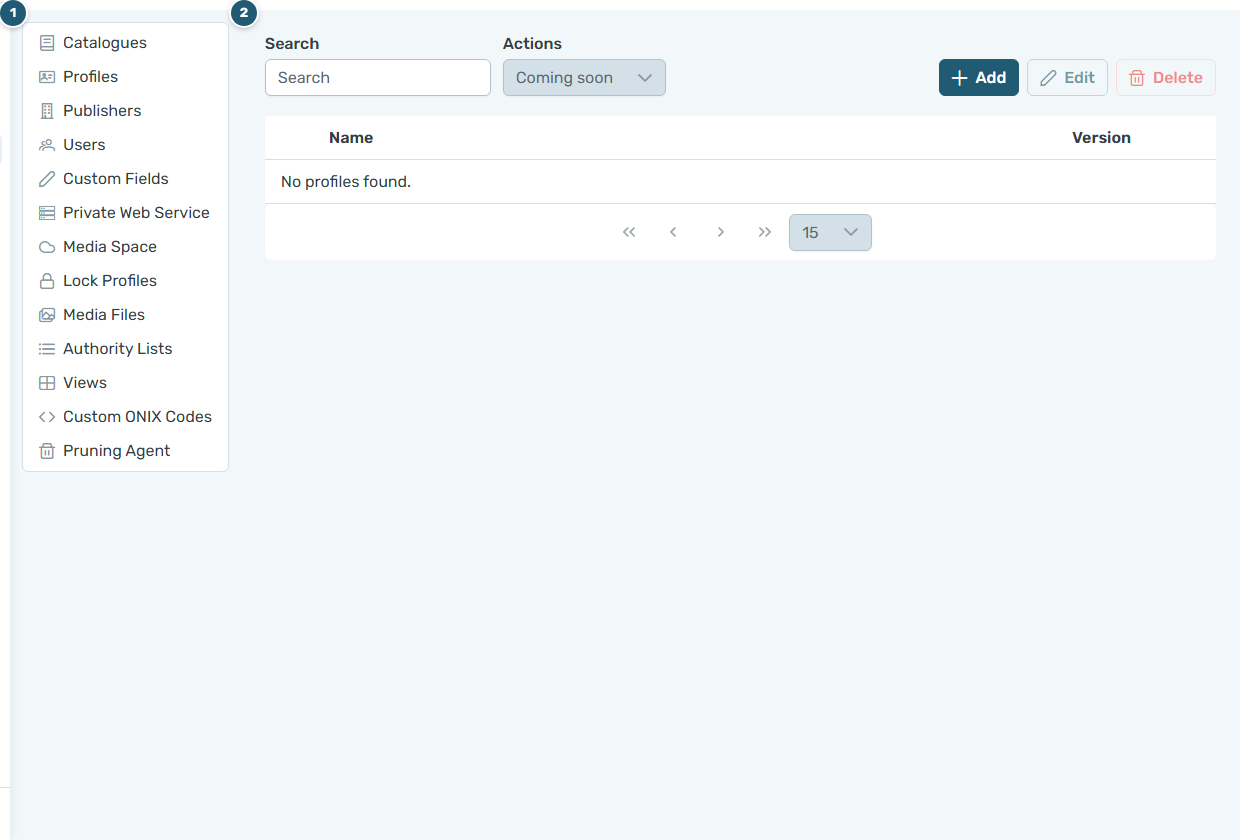
- Settings menu — a second sidebar listing every settings page. The selected page is highlighted.
- Settings page — the page you selected. Most pages are a table with a toolbar; the row buttons and the Add / Edit buttons open dialogs.
The settings pages
| Page | Use it to |
|---|---|
| Catalogues | Not yet available in the Dashboard (see below). |
| Profiles | Manage the ONIX profiles that control how files are imported and validated. |
| Publishers | Maintain the publisher records used in your ONIX data. |
| Users | Create and manage the user accounts of your ONIXEDIT Server. |
| Custom Fields | Define your own fields, grouped in categories, beyond the ONIX standard. |
| Private Web Service | Not yet available in the Dashboard (see below). |
| Media Space | Configure where media files are stored (public and private zones), image validation and size limits. |
| Lock Profiles | Define which ONIX elements are locked against editing. |
| Media Files | Decide which media file types are accepted and how files are named. |
| Authority Lists | Maintain your master list of contributors. |
| Views | Define the columns of your title lists for ONIX 2.1 and ONIX 3. |
| Custom ONIX Codes | Hide standard ONIX code values, add your own and translate them. |
| Pruning Agent | Schedule the automatic archiving of old products. |
When changes are saved
Pages differ in when a change reaches the server:
- Per action — on Profiles, Publishers, Users, Custom Fields, Lock Profiles, Authority Lists and Custom ONIX Codes, each action is written as soon as you confirm it: OK in a dialog, a radio button, Hide / Show, Disable / Reactivate.
- On Save — Media Space, Media Files, Views and Pruning Agent collect your edits (including those made in their dialogs) and write them only when you click Save. Cancel asks All modifications will be lost. Do you want to proceed? and reloads the stored state.
Every page confirms a successful write with Changes have been successfully saved. and reports a failure with Failed to save settings. Deletions always ask for confirmation.
Pages still being migrated
Catalogues and Private Web Service show This page has not been migrated yet. They remain available in the previous Preferences application until they join the Dashboard; this manual will document them when they do.
Frequently asked questions
Why don't I see Preferences in the sidebar?
Preferences is shown only to accounts that have access to ONIXEDIT Server's configuration. On an on-premises installation only the licence owner sees it. Sign out and back in to refresh your entitlements, then contact your administrator.
Why do Catalogues and Private Web Service say "This page has not been migrated yet"?
Those two settings pages are still being moved from the previous Preferences application. Until they arrive, keep managing them there; every other page is fully functional here.
Do changes apply to all users of my ONIXEDIT Server?
Yes. Preferences holds the configuration of your ONIXEDIT Server as a whole, not personal settings; anything you save applies to everyone who works with your catalogues.